20 Best Things to Do in Japan: Places, Itineraries, and Travel Tips for Australians
Explore 20 of the best things to do in Japan. From Tokyo and Kyoto to Mount Fuji, discover top places, itineraries, and tips for Australian travellers.


If you're researching a PASMO card for Japan, the basic idea is simple: load it with Japanese yen (JPY), tap at the gate and let the system calculate the fare. It can save you from buying a separate ticket for each train or bus trip around Tokyo.
This guide explains how PASMO works, where to buy one, how to add PASMO to an iPhone and which option may suit your trip from Australia. We'll also introduce to you Wise Travel Card that can help you save on international transactions with currency conversions at mid-market exchange rates.
| Table of Contents |
|---|

PASMO is a prepaid transport IC card. You can use it to pay fares on participating trains, subways and buses in Tokyo and on compatible transport networks elsewhere in Japan. It also works for electronic payments at participating shops.1
PASMO is widely interoperable with Suica and several other regional IC cards. That means you can usually use one card across many major cities, although it isn't accepted on every route or for every type of train.1
You have 3 main options: buy a regular PASMO after you arrive, pick up a visitor-focused TOURIST PASMO or add a digital PASMO to a compatible iPhone or Apple Watch.
| Option | Where to get it | Upfront deposit | Validity | Good to know |
|---|---|---|---|---|
| Regular PASMO | Participating station ticket machines and ticket counters | ¥500 | Expires after 10 years without use or a top-up | Refunds are available under PASMO's rules; a ¥220 handling fee can apply to the remaining balance |
| TOURIST PASMO | Selected sales points at Haneda and Narita airports | None | 28 days from purchase | Made for international visitors; remaining value can't be refunded |
| PASMO in Apple Wallet | Wallet app on a compatible iPhone or Apple Watch | None | Digital card conditions apply | Needs an eligible payment card in Apple Wallet; some cards may not be accepted |
For a short holiday, TOURIST PASMO is a straightforward physical option. If you have a compatible Apple device, a digital PASMO can help you skip the ticket-machine queue. A regular PASMO may suit repeat visitors because it doesn't have the tourist card's 28-day limit.
The best option depends on your phone, where you arrive and whether you plan to return to Japan.
A regular PASMO generally costs ¥1,000 when first issued. This includes a ¥500 deposit and ¥500 of usable value, although operators may offer other purchase amounts.2
The card expires after 10 years without use or a top-up. If you return it before then, PASMO can refund the stored value and deposit. A handling fee of up to ¥220 is deducted from the remaining value, but the ¥500 deposit is returned.2
You can choose a blank or personalised PASMO. A blank PASMO is quicker to buy, but it can't be reissued if you lose it. A personalised card requires your details and can be reissued, subject to PASMO's rules and fees.1
TOURIST PASMO is designed for international visitors. It has no deposit, so its full purchase price becomes usable value. Depending on the sales point, it costs between ¥1,000 and ¥10,000.3
The card is valid for 28 days from purchase. Any money left on it can't be refunded, so top up in smaller amounts as your trip comes to an end. Keep the reference paper you receive with the card, as it shows the expiry date and other card details.3
You may still find old travel guides referring to PASMO PASSPORT. Sales of that product ended, and the current short-stay visitor card is TOURIST PASMO.4
You can create a digital PASMO in Apple Wallet or transfer an eligible physical PASMO. Once a physical card is transferred, the plastic card stops working and its ¥500 deposit is added to the digital balance.5
Your first travel card is normally set to Express Mode automatically. This lets you tap at compatible ticket gates and payment terminals without opening Wallet or approving every transaction.5
You can buy a regular blank or personalised PASMO from participating transport operators around Tokyo. At a compatible ticket machine:
You can also buy one at a participating commuter-pass ticket counter. PASMO says credit cards aren't accepted for regular physical card purchases, so have Japanese yen available.6
TOURIST PASMO has more limited sales points. Current locations include:3
At Haneda, the listed TOURIST PASMO machines and information centre accept credit cards. The official page doesn't list the same payment detail for Narita, so carrying yen is a sensible backup. Sales points and accepted payment methods can change, so check the official TOURIST PASMO page before you fly.
PASMO's official sales page doesn't offer physical TOURIST PASMO delivery to Australia. It lists in-person sales after arrival at selected Haneda and Narita airport locations.3
Regular physical PASMO cards are also issued through participating ticket machines and counters in Japan. If you have a compatible iPhone or Apple Watch, however, you can create a digital PASMO in Apple Wallet instead.5
Apple says you'll need an Apple Account with two-factor authentication, an eligible payment card in Wallet and a compatible device running the latest supported software. For most Australian travellers, that means an iPhone 8 or later or an Apple Watch Series 3 or later.5
To add PASMO on an iPhone:
PASMO's own setup guidance also says your device region should be set to Japan. Some Australian-issued payment cards may not be accepted, so don't rely on a digital PASMO as your only plan until the first top-up succeeds.7
For trains and subways, tap the card or device on the reader when you enter and again when you leave. The fare is deducted from your balance. On buses, tap the reader where instructed. The exact process can vary by operator, so follow the signs or ask the driver if you're unsure.
If the balance is too low or a journey isn't processed correctly, speak to station staff. Don't try to continue through another gate, as the incomplete trip may need to be cleared first.
PASMO works across the Tokyo metropolitan area and on many compatible train and bus networks elsewhere in Japan. Look for the PASMO logo or the nationwide transport IC card symbol.1
You can also use your stored balance at many participating:
PASMO isn't accepted everywhere. It may not cover some local transport, and you generally can't use an IC card for one continuous journey that crosses between separate IC card service areas. Shinkansen, limited express and other reserved or premium services may also require a separate ticket or compatible linked service.9
In Japan, adding money to a transport card is usually called charging or topping up.
You can top up a regular or TOURIST PASMO at compatible station ticket machines. Select the charge option, insert or place your card as directed, choose an amount and pay in cash.
You can also add cash at participating convenience stores and some other shops. Tell the cashier how much you want to add and follow the prompt to place your card on the reader.8
Some buses allow top-ups using ¥1,000 notes. Ask the driver first. Your total PASMO balance can't exceed ¥20,000, while the bus top-up limit is lower.8
Regular physical PASMO purchases don't accept credit cards. TOURIST PASMO purchases at the listed Haneda sales points do, but topping up a physical TOURIST PASMO at a station machine is cash only.3
To add money to a digital PASMO:
- Open Wallet.
- Select your PASMO.
- Select Add Money.
- Enter an amount.
- Choose an eligible payment card and confirm the transaction.
PASMO says Apple Wallet top-ups aren't available between 2:00 am and 4:00 am Japan time. The maximum stored balance is ¥20,000.7
If your Australian card doesn't work for an Apple Wallet top-up, you can use cash at compatible machines, buses, convenience stores and other participating locations. Your issuer may also charge its own currency conversion or other fees. The Wise card is a low-cost, hassle-free option: you can add it to Apple Pay to top up your PASMO seamlessly, and use it to withdraw cash at local ATMs if needed.
Once your PASMO card is sorted, make sure you have a plan for daily spending. Skip unexpected foreign transaction fees and exchange rate markups to get more JPY for your AUD.
The Wise card is a simple way to save up to 4x when you're spending internationally. You can spend in 150+ countries at mid-market rate — basically the rate you see on Google. With no foreign transaction fees and low, transparent pricing, Wise usually gives you the best value for your money.
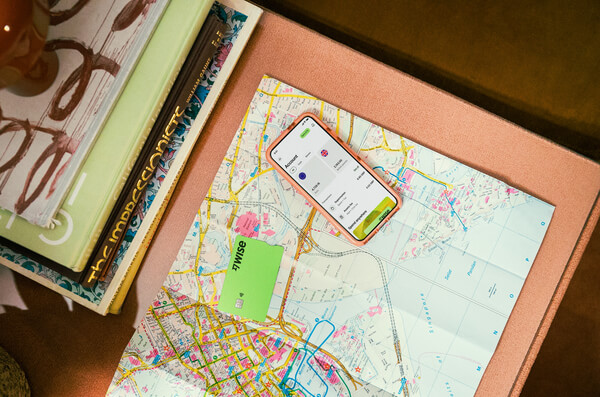
Simply create a Wise account for free, order a card and top-up AUD to get started. Having a physical Wise card allows you to make chip and pin payments, as well as make some free ATM withdrawals each month for when you're abroad. You can get digital cards and add to your Google or Apple Pay wallet for instant use. Spend directly with the Wise account in AUD and let auto-conversion do the trick or convert in advance to your desired currency. You can hold and exchange 40+ currencies in your Wise account and spend the currencies you hold for free.
Wherever your travel takes you, the Wise card makes spending money abroad cheaper and easier.
This general advice does not take into account your objectives, financial circumstances or needs and you should consider if it is appropriate for you. Savings claim based on our rates vs. selected Australian banks and other similar providers in Jan 2026. To learn more please visit https://wise.com/au/compare
Please see Terms of Use and product availability for your region or visit Wise Fees & Pricing for the most up to date pricing and fee information.
*Please see terms of use and product availability for your region or visit Wise fees and pricing for the most up to date pricing and fee information.
This publication is provided for general information purposes and does not constitute legal, tax or other professional advice from Wise Payments Limited or its subsidiaries and its affiliates, and it is not intended as a substitute for obtaining advice from a financial advisor or any other professional.
We make no representations, warranties or guarantees, whether expressed or implied, that the content in the publication is accurate, complete or up to date.

Explore 20 of the best things to do in Japan. From Tokyo and Kyoto to Mount Fuji, discover top places, itineraries, and tips for Australian travellers.

Learn how to buy, use, and top up an ICOCA card in Japan, plus mobile options for Australian travellers.

Discover the difference between ICOCA and Suica IC cards in Japan. Compare coverage, refund rules, and mobile options for your trip.

JR Pass or Suica? Learn how they work, key cost differences, and whether you need a rail pass, an IC card, or both for your trip to Japan.
Comparing PASMO vs Suica for Japan? Learn the key differences, regional coverage, Apple Wallet options, and how to choose the right travel card.

Learn how to get a Suica card for Japan. Compare physical vs digital options, top-up methods, and where to buy one for your trip from Australia.