Skydo vs PayPal: Comparison for Indian businesses
Compare Skydo vs PayPal for international payments in India. We break down transfer fees, exchange rate markups, FIRA rules, customer ratings and alternatives.


If you get paid by clients or customers overseas, Payoneer is probably a name you have come across. It has been around for years, and many Indian freelancers and businesses use it to receive international payments.
But India has its own rules. Some Payoneer features available in other countries do not work here. The costs can also add up in ways that are easy to miss when you first sign up.
This Payoneer India review covers what the account offers, what it costs, where it falls short, and how it compares with Wise Business.
| Table of Contents |
|---|


Payoneer is a cross-border payments platform. It was founded in New York in 2005 and is registered in the US as a Money Service Business.1
For some currencies, Payoneer gives you receiving account details that work like local bank details.2 You can share these with an overseas client or marketplace, which can then pay you by bank transfer.
Payoneer is not a bank. For users in India, the account it provides is not an Indian bank account either.2
For users in India, payments received through Payoneer are automatically withdrawn to the linked local bank account within 24 hours. This automatic withdrawal is tied to Indian regulations.3
You cannot keep your balance in dollars and wait for a better exchange rate. Indian Payoneer accounts also cannot make outgoing payments, apart from the automatic withdrawal to your verified bank account. So you cannot use your Payoneer balance to pay overseas suppliers.
Payoneer is mainly built for people and businesses that get paid from overseas. That includes:
You get account details in several currencies, covering clients across the Americas, Europe, Asia and Australia. For unsupported regions or currencies, Payoneer offers a SWIFT receiving account for USD. These accounts are for receiving money only.3
Payoneer works with more than 100 marketplaces. Earnings from these platforms can go straight to your Payoneer account without a separate payout tool.
You can send a payment request to clients anywhere. They can pay by credit card, ACH bank debit in the US, local bank transfer, or direct bank payment in the UK. You can also track payment requests and send reminders.3
Payoneer provides a Digital FIRC within 72 hours of an eligible payment, at no extra cost. This applies to payments received from more than 200 countries.3
You can download monthly statements, receiving account confirmations, Amazon account statements, and letters of good standing.3
Payoneer no longer issues or supports cards for customers with an address in India due to local regulations. The Payoneer card is a major feature in other markets, but it is not available to customers in India.4
| Fee | What Payoneer charges |
|---|---|
| From another Payoneer customer | Free5 |
| Via your receiving accounts | Free in your primary location's local currency; otherwise a fixed fee or 1%5 |
| Client pays by credit card | 2.90% plus USD 0.495 |
| Client pays by ACH bank debit (US only) | 1%5 |
| Client pays by PayPal (US only) | 3.99% + USD 0.495 |
| Withdrawal to your Indian bank | 1% to 4% of the amount5 |
| Annual account fee | USD 29.95 if you receive less than USD 6,000 in any 12 consecutive months5 |
| GST | 18% on Payoneer India's fees |
The free receiving rate applies when the currency matches your primary location, such as EUR in Europe. For an Indian business receiving USD or GBP, the second bracket applies, so a fee is charged.
The 1% to 4% withdrawal fee covers converting a foreign currency balance into INR. The exact rate depends on your region and transaction volume.

Opening a Payoneer account in India involves a few basic steps. You create an account, choose whether you are signing up as a business or freelancer, and submit a government-issued ID such as Aadhaar or PAN, along with proof of your Indian bank account. You then add your local bank details to receive withdrawals in INR. The name on the bank account must match the name on your Payoneer account.6
You may also need to provide more documents during verification. These can include proof of address, such as a utility bill from the last six months or a tax document from the last 12 months. Registered companies may also need to submit company incorporation documents.7 Verification takes around three business days.4
Payoneer is certified under PCI Level 1 Data Security Standard, the highest tier for handling card and transaction data. Its compliance framework covers AML, CTF, CIP, and OFAC requirements, as well as the EU's fourth Anti-Money Laundering Directive.¹
In India, the regulatory picture is still developing. In January 2026, Payoneer India received in-principle authorisation from the RBI to operate as a Payment Aggregator - Cross Border for inward and outward transactions.8
Wise Business is another popular option for receiving overseas payments. Here is how it compares with Payoneer in India.
| Feature | Payoneer | Wise Business |
|---|---|---|
| Foreign currency account details | ✔️ | ✔️ |
| Exchange rate | No published rate or markup | Mid-market rate, no markup |
| Conversion cost | 1% to 4% on withdrawal5 | From 1.13%, shown upfront |
| Annual or inactivity fee | USD 29.95 if you receive less than USD 6,000 in any 12 consecutive months5 | None |
| Hold foreign currency in India | ❌ | ❌ |
| Pay overseas suppliers from your balance | ❌ | ❌ |
| e-FIRC | e-FIRA only9 | ✔️ |
| RBI PA-CB status | In-principle | Licensed for inward transactions |
Expanding a business globally opens up exciting opportunities, but also new challenges like receiving payments across borders. Hidden foreign transaction fees and hefty markups involved with international payments can eat into your profits and time.
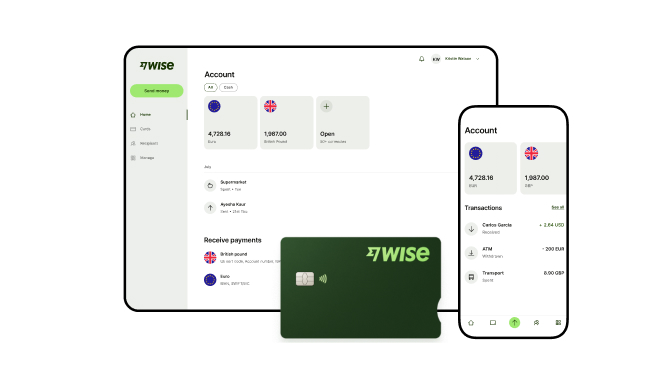
Wise Business addresses this gap by enabling Indian businesses to receive money from abroad using local account details in supported foreign currencies. Conversions are offered mid-market exchange rates with no hidden markups and a transparent upfront fee.
Are you a small business or freelancer receiving payments from overseas? Transform the way you receive global payments with Wise Business:
Sign up for the Wise Business account! 🚀
1. Does Payoneer provide e-FIRC or FIRA documents?
Payoneer provides a digital FIRA for each eligible payment at no extra cost, for money received from more than 200 countries. However, only the bank where you hold your account can report the inward remittance to EDPMS and issue the electronic certificate. Your AD bank also issues the e-BRC once your export bills are realised.9
2. Does Payoneer charge an annual fee in India?
Only if you receive less than USD 6,000 over any 12-month period. In that case, you’ll pay a USD 29.95 fee. If you receive more than that, there’s no fee.
3. Can Indian Payoneer users hold USD or other foreign currencies?
No. Payments are automatically withdrawn to your linked Indian bank account within 24 hours, as required under Indian regulations.
*Please see terms of use and product availability for your region or visit Wise fees and pricing for the most up to date pricing and fee information.
This publication is provided for general information purposes and does not constitute legal, tax or other professional advice from Wise Payments Limited or its subsidiaries and its affiliates, and it is not intended as a substitute for obtaining advice from a financial advisor or any other professional.
We make no representations, warranties or guarantees, whether expressed or implied, that the content in the publication is accurate, complete or up to date.

Compare Skydo vs PayPal for international payments in India. We break down transfer fees, exchange rate markups, FIRA rules, customer ratings and alternatives.

Learn how to open a business bank account in India. More on required documents, step-by-step process, timelines, and global solutions.

Understand corporate bank accounts in India, their key features, and the opening process. Learn how they differ from current accounts to find the right fit.

Compare the best business bank accounts in India for 2026. Learn about fees, transaction limits, and features available. Explore alternatives here.

Explore HDFC Bank business current account options, key services, and setup requirements. Compare fees and discover alternatives for international payments.

Learn about Citibank commercial banking in India. Explore account types, key services, setup requirements, fees, and alternatives for global payments.